Get Usable Cost Codes in Weeks for Growth Stage Contractors
Adopt a 2 to 3 level hierarchy, phase or division at the top, category below it, activity at the bottom, and require every parent division to carry Labor, Material, and Subcontractor sub-items. That three-way split is the single non-negotiable rule. It only works long-term if your project management or time-entry software forces users to pick from a validated list instead of typing in freeform notes at the point of entry.
TL;DR:
Most contractors should maintain 75 to 150 active cost codes, focusing on a three-tier structure that includes labor, material, and subcontractor for each division.
Using only two levels for smaller jobs or when appropriate simplifies coding without sacrificing insight, especially for residential and remodeling projects.
Ensuring every cost code is consistently mapped across QuickBooks, project management tools, and field entry systems prevents drift and simplifies reconciliation.
Regular validation, weekly reconciliation, and a single owner responsible for code updates help maintain accuracy and prevent code proliferation or misuse.
Starting with real recent estimates rather than blank templates and applying a clear, consistent code pattern improves usability and aligns field and office data.
R. Construction Solutions
rconstructionsolutions.com
Build Cost Codes That Work
R. Construction Solutions helps contractors improve workflows, estimate accuracy, and project management systems for more consistent operational data.
Explore construction consulting
Table of Contents
How Do You Design a Cost Code Hierarchy That Field Teams Will Actually Use?
Implementation Best Practices: Validation, Training, and Ongoing Audits
Practitioner Perspective: Applying These Practices in Real Engagements
Why Most Cost Code Advice Skips the Part That Actually Matters
How R. Construction Solutions Helps Build and Audit Cost Code Systems
What Is a Cost Code Structure in Construction?
A cost code is a short alphanumeric tag attached to every dollar your company spends or bills on a job. It answers one question: what work did this money buy? That’s different from a cost type, which answers a second question: what kind of resource paid for it, labor, material, equipment, or subcontractor. And it’s different again from a general ledger account, which is an accounting classification your bookkeeper uses to build the P&L. A cost code lives inside a job. A GL account lives inside your chart of accounts. Confusing the two is one of the most common setup mistakes contractors make.
Here’s why the distinction matters for job cost accounting in construction. When every timecard, invoice, and equipment charge gets tagged with both a cost code and a cost type, you can slice the data two ways at once. You can see total spend on “03 30 00 Cast in Place Concrete” across the whole job, and you can also see how much of that was labor versus subcontractor cost. That combination is what makes budget versus actual reporting, work in progress schedules, and job to job benchmarking possible in the first place. Construction cost codes function as the building blocks of budgeting, tracking, reporting, and communication across the entire project team, from the field to the front office.
A few concrete examples of coded transactions:
A carpenter’s timecard entry for framing gets coded to the framing labor sub-code, not just “framing.”
A concrete supplier’s invoice for ready-mix gets coded to the concrete material sub-code, not buried in a general “materials” bucket.
Equipment rental for a excavator on a site prep phase gets coded to the earthwork equipment sub-code so you can compare rental cost against the original estimate line.
Skip this level of detail and your job cost reports collapse into vague totals that tell you a job lost money, but never tell you where.
Industry Standards: MasterFormat, UniFormat, and NAHB
Two standards dominate how commercial and institutional contractors organize cost data, and they solve different problems at different points in a project’s life.
MasterFormat, maintained by the Construction Specifications Institute, organizes construction information by division and technical specification. It’s built around how work actually gets bid, subcontracted, and specified, which makes it the natural fit once you’re producing detailed estimates or writing project specs. MasterFormat is widely used across North America for specifications, bidding, and detailed estimating, and most commercial general contractors either adopt it directly or build a lean derivative of it.
UniFormat, also published by CSI, classifies buildings by element and system rather than by trade. Instead of “09 30 00 Tiling,” UniFormat groups cost by function, like “B20 Exterior Enclosure” or “D30 HVAC.” UniFormat is most useful in early design phases, when a team needs to classify building systems and estimate overall project scope before detailed drawings even exist.
The NAHB cost code system, built for residential builders, trims both of those down into a simpler trade-based list that maps more directly to how home builders actually buy and schedule work.
Standard | Organizing logic | Best-fit project phase | Typical user |
|---|---|---|---|
MasterFormat | By trade division and spec section | Detailed estimating, bidding, subcontracts | Commercial GCs, CMs |
UniFormat | By building element and system | Conceptual design, early budgeting | Owners, architects, preconstruction teams |
NAHB cost codes | By residential trade and phase | Home building, remodeling | Home builders, remodelers |
The practical workflow most preconstruction teams follow: start conceptual budgets in UniFormat while the design is still evolving, then translate to MasterFormat once drawings firm up enough to bid subcontracts and buy material. The two systems aren’t rivals so much as sequential tools, and in BIM workflows a single building element can carry both codes simultaneously, one for early scope tracking, one for detailed cost control.
As a rule of thumb: commercial and institutional work leans on MasterFormat once estimating gets serious. Design-build and owner-side preconstruction work often starts and stays in UniFormat longer. Residential builders and remodelers are usually better served by a trimmed NAHB-style list than by importing full MasterFormat divisions they’ll never use.
How Do You Design a Cost Code Hierarchy That Field Teams Will Actually Use?
Most contractors overbuild their first attempt at a cost code structure. They import all 49 MasterFormat divisions, add five sub-levels, and then wonder why superintendents stop coding time correctly within two months. The fix isn’t more structure. It’s the right amount.
Pick 2 or 3 levels, no more. Level one is the division or phase (concrete, framing, electrical). Level two is the category. Level three, where it exists, is the specific activity or cost type. Collapse to two levels for smaller residential jobs where a third tier adds paperwork without adding insight.
Apply the three-tier minimum to every parent division. Every division needs a Labor sub-code, a Material sub-code, and a Subcontractor sub-code underneath it, even if you don’t use all three on every job. This is what makes the structure QuickBooks-ready and what lets you compare self-performed cost against sub cost at a glance.
Use a consistent numeric or alphanumeric format. A pattern like
03-300-L(division, category, labor) reads clearly to both a superintendent typing a timecard and an accountant reconciling a job cost report. Avoid mixing formats across divisions, that inconsistency is what breaks reporting six months in.Build your initial list from real estimates, not a blank template. Pull three to five recent estimates, group similar line items together, and let that grouping become your first working code list. It guarantees alignment between what estimators bid and what the field actually codes against, which is where most disconnects start. A structured estimating checklist makes this translation step faster.
Size your active list to your business, not to the standard. Most commercial general contractors operate effectively with 75 to 150 active codes. Remodelers and residential builders usually need far fewer. Specialty trades, mechanical, electrical, concrete, often need more granularity within their own scope but fewer divisions overall.
Pro Tip: Resist the urge to code for every conceivable future project type on day one. Start with the codes your last five jobs actually needed, then add codes only when a real job demands one, not because a standard lists it.
Mapping Cost Codes to QuickBooks and PM Tool Workflows
A cost code that lives only in your estimating spreadsheet is a wasted asset. The real payoff comes when the same code structure flows cleanly through QuickBooks and whatever project management platform your field teams use every day.
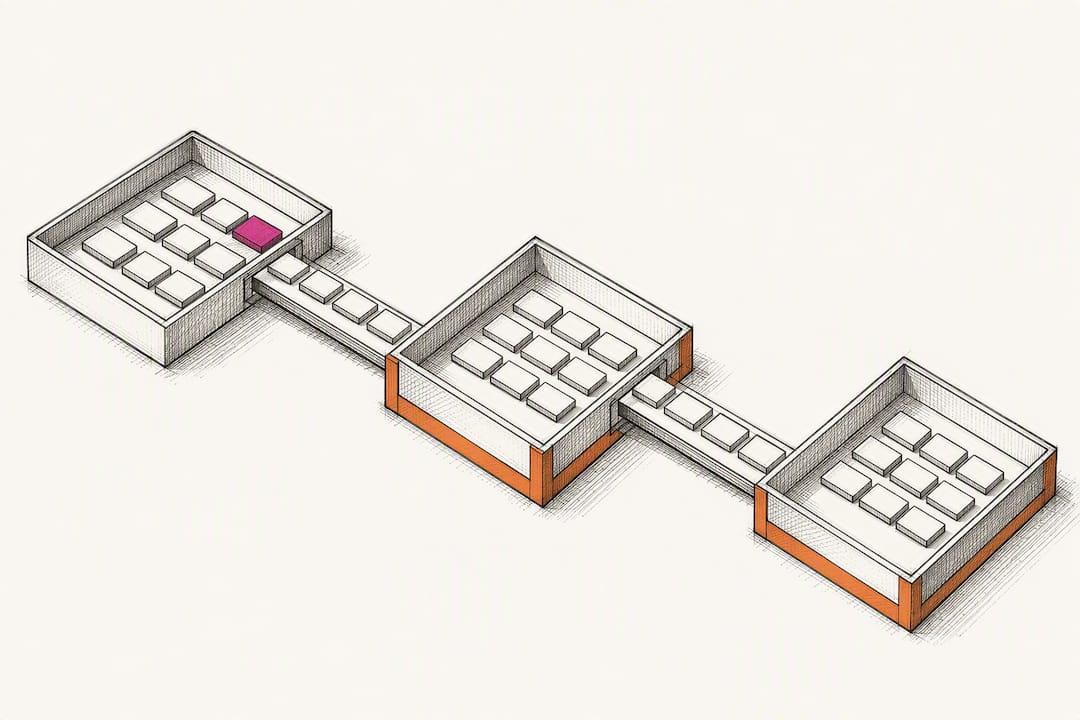
In QuickBooks, the cleanest approach represents each cost code as an Item, with the parent division as the Item category and Labor, Material, and Subcontractor as sub-items underneath it. A production framework, sometimes a 29-division starter template, with three-tier sub-items mapped to the correct cost of goods sold accounts, keeps job cost reports reconciling directly to the profit and loss statement instead of drifting apart from it over time. That mapping is what lets a CFO trust that the job cost report and the company financials tell the same story.
The setup workflow that saves the most time:
Build the master code list once in a spreadsheet, with the three-tier pattern already applied to every division.
Batch import that list into QuickBooks as Items rather than entering each one by hand.
Map each Labor, Material, and Subcontractor sub-item to its correct COGS account so job cost reports and the general ledger agree automatically.
Lock the list down so field users select from it rather than creating new items on the fly.
On the project management side, platforms like Procore consume that same code list at the point of time entry and invoice intake, and validate entries against it before they post. PM platforms publish this pattern explicitly because cost codes only function as intended when the same list, the same job cost accounting structure in construction, is enforced everywhere data enters the system, not just in accounting.
The single most important governance rule here: pick one source of truth, usually your accounting system, and treat every other tool as a mirror of it. When Procore, a field app, and QuickBooks each maintain their own independent code lists, small drift becomes large reconciliation headaches within two or three billing cycles.
Implementation Best Practices: Validation, Training, and Ongoing Audits
Building the code structure is the easy part. Keeping it accurate six months and twenty jobs later is where most companies lose the thread.
Start with validation at the point of entry. Presenting only the codes relevant to a specific job, rather than the full company-wide list, and validating entries before they post, is what separates companies with clean job cost data from companies that discover coding errors during month-end close. A superintendent scrolling through 150 codes to find the right one will eventually just pick whatever’s closest, and that shortcut quietly corrupts your reporting.
Governance needs a rhythm, not a one-time setup:
Review coding accuracy on active jobs weekly, while errors are still cheap to fix.
Run a monthly reconciliation between field-entered hours and accounting’s posted job costs.
Conduct a quarterly audit of the full active code list, retiring codes nobody has used in two quarters.
Route any request for a new code through one approval owner, never let individual PMs create codes independently.
Training deserves the same rhythm. New hires need code structure covered in onboarding, not left to pick up through trial and error. Field crews benefit from a short refresher every time the code list changes materially, and a living reference document, even a single laminated page at the job trailer, beats relying on memory.
Pro Tip: Assign one person, not a committee, as the sole owner of adding or retiring codes. Version control on a shared code list falls apart the moment two people can edit it independently.
Version control matters more than most companies expect. When you retire a code, don’t delete it, mark it inactive so historical job cost history stays intact and reportable. When you add one, document why, and confirm it doesn’t duplicate something that already exists under a different label.
What Are the Most Common Cost Code Mistakes?
Most cost code failures trace back to a handful of repeat offenders, and each has a fix that’s faster to implement than the mistake was to create.
Too many inactive codes cluttering the active list. Prune aggressively every quarter and enforce a company-wide active-code list rather than letting old project-specific codes linger.
Field entries and accounting entries don’t match. Reconcile weekly rather than waiting for month-end, and align naming conventions so a superintendent and a bookkeeper are describing the same thing the same way.
Invoices coded generically, everything dumped into “materials.” Fix this at accounts payable intake, require a project number and a specific cost code before an invoice can be entered, no exceptions.
Mixed historical systems during a migration. If you’re moving from one code structure to another, map old codes to new ones before go-live, and run both systems in parallel for one full billing cycle rather than switching cold.
None of these fixes require new software. They require someone willing to enforce a rule consistently, which is usually the harder part.
Practitioner Perspective: Applying These Practices in Real Engagements
An experienced construction business advisor with decades in operations, business development, and executive advisory work shapes the approach to cost code cleanup engagements at a construction consulting firm.
A typical pattern shows up across growth-stage contractors doing between $1 million and $10 million in annual revenue: a code list that ballooned to 300 or more entries over several years, half of them unused, paired with a QuickBooks setup that no longer matches how the field actually codes time. The fix is rarely more software. It’s a disciplined audit that prunes the list down to a working range, rebuilds the three-tier mapping cleanly, and retrains the team on a single source of truth.
Specific before-and-after metrics from client engagements are proprietary and available on request through a direct consultation, but the pattern holds consistently: fewer codes, faster setup, and job cost reports that finally reconcile to the P&L without a manual patch every month.
Why Most Cost Code Advice Skips the Part That Actually Matters
The construction industry has no shortage of articles explaining MasterFormat divisions in exhaustive detail. What’s missing is the harder, less academic question: how do you get a superintendent who’s managing three jobs at once to actually use the list correctly, every single time, without a reminder?
That’s where the conventional advice falls short. Most guidance treats code structure as a taxonomy problem, get the divisions right, get the categories right, and the job is done. In practice, code structure is a behavior problem wearing a taxonomy costume. A perfectly designed 150-code MasterFormat derivative fails the moment field entry allows freeform text, because someone will type “misc” under deadline pressure and your job cost report just lost its meaning for that line item.
If I had to tell a growth-stage contractor where to spend their first hour, it wouldn’t be picking between MasterFormat and UniFormat. It would be locking down point-of-entry validation in whatever time-tracking or PM tool the field already uses. Get that one control right, and a mediocre code list still produces usable data. Get it wrong, and even a textbook-perfect structure degrades within a year.
— Rowena Tulacz
How R. Construction Solutions Helps Build and Audit Cost Code Systems
If your job cost reports have stopped telling you anything useful, or your team is still coding invoices to “misc” out of habit, that’s a setup problem, not a discipline problem, and it’s fixable in weeks, not quarters.

R. Construction Solutions works directly with contractors doing between $1 million and $10 million in annual revenue to rebuild cost code structures that field crews and accountants will both actually use. A typical engagement moves through four stages: an audit of your current code list and QuickBooks mapping, a lean three-tier template built from your own recent estimates, hands-on implementation inside your PM tool and accounting system, and a training session that gets your team coding consistently from day one. This work sits alongside the firm’s broader construction consulting services, including estimating support, workflow optimization, and system implementation for platforms like Procore and QuickBooks. If you’re a general contractor specifically, the firm also runs a dedicated service track for GC-specific budget management and vendor workflows. Reach out to schedule an audit of your current cost code structure and see exactly where the gaps are before they cost you another job’s worth of clean reporting.
Standards and Templates Worth Bookmarking
For deeper reference: MasterFormat and UniFormat cover the standards themselves, while The Build’s cost code guide offers practical, contractor-level implementation notes.
Sources
FAQ
What Are the Standard Cost Codes for Construction?
There’s no single mandatory list. Most commercial contractors adapt CSI’s MasterFormat divisions, while residential builders often use a trimmed NAHB-style list, then layer Labor, Material, and Subcontractor sub-codes under each division.
What Is an Example of a Cost Code Structure?
A common example is a three-tier format like 03-300-L, where “03” is the concrete division, “300” is the category, and “L” designates labor, with matching sub-codes for material and subcontractor costs.
What Does “Cost Code” Mean in Construction?
A cost code is a tag applied to every job-related transaction, labor hours, material invoices, subcontractor bills, that identifies what specific scope of work the cost belongs to, separate from the cost type or accounting classification.
How Do You Calculate a Cost Breakdown for a Construction Project?
Total the coded costs, labor, material, and subcontractor, under each division from timecards, invoices, and subcontract billing, then compare those totals against the original estimate for that same division to produce a budget versus actual breakdown.
How Many Cost Codes Should a Contractor Maintain?
Most commercial general contractors operate effectively with 75 to 150 active codes, while residential builders and remodelers typically need a smaller, trade-focused list.
Recommended
Running the job and the business at the same time? One short email a week — change orders, billing, job costing, scheduling. Free, no pitch. Subscribe.
Free and unconditional. No call required, no obligation, unsubscribe anytime.

