30–60 Day Change Order Workflow That Stops Cash Leak for Contractors
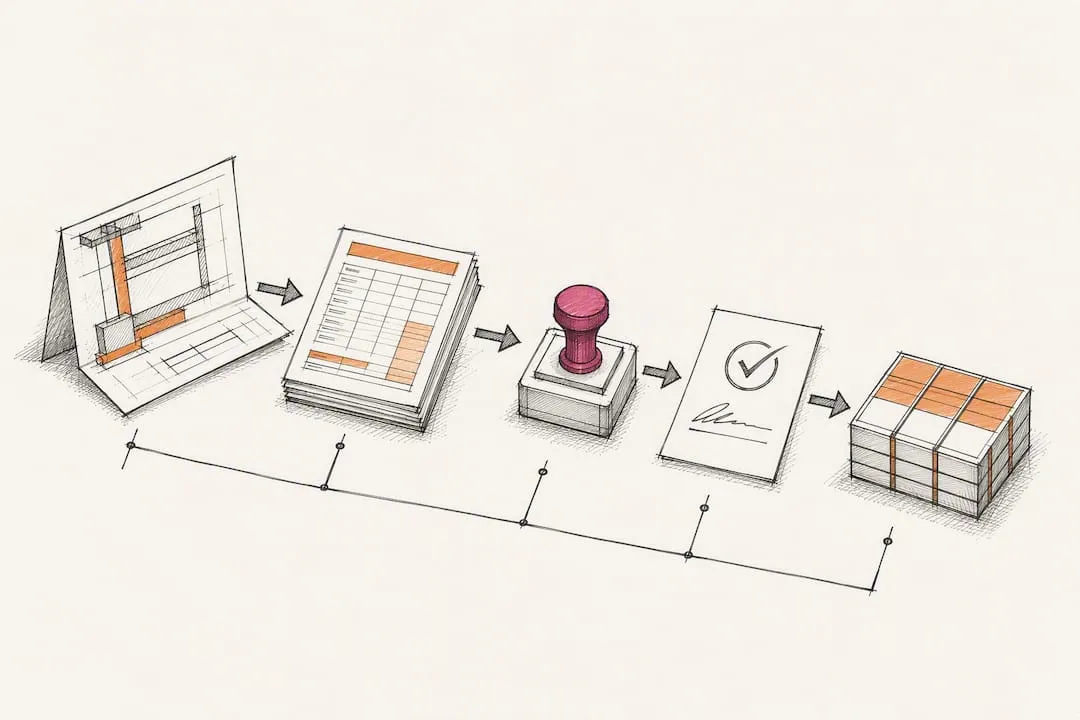
Use a repeatable six-stage change order workflow to protect margin, accelerate approvals, and build a defensible paper trail. The stages run identification, documentation and pricing, internal review, client presentation, execution, and closeout, a structure consistent with AACEI’s formal change management guidance.
TL;DR:
- Speed the approval process by routing change orders based on dollar thresholds, with fast-track decisions for amounts under $1,000 and full review over $50,000.
- Build a comprehensive change order package that includes photos, subcontractor quotes, daily logs, and a schedule impact statement to prevent rejection delays.
- Post-approval, immediately notify all affected parties, update job cost records, and invoice without delay to maintain cash flow.
- Track key KPIs such as days to price, approval time, and unpriced exposure to identify process bottlenecks early.
- Establish a single, standardized change order log before implementing templates or dashboards to ensure visibility and ownership at every stage.
Table of Contents
- What Are the Six Stages of a Change Order Workflow?
- What Belongs in a Change Order Package?
- How Should You Route Change Orders for Approval?
- What Happens After a Change Order Is Approved?
- How Do You Track Change Order Performance Over Time?
- Where Do Change Order Workflows Usually Break Down?
- Why Most Change Order “Fixes” Miss the Point
- Get Hands-On Help Building Your Change Order System
- Where to Go for Templates and Standards
- Sources
What Are the Six Stages of a Change Order Workflow?
A change order workflow breaks down into six distinct stages, each with its own owner, inputs, and output. Skip a stage, and you either lose entitlement to get paid or you burn weeks waiting on an owner decision that should have taken days. This staged approach mirrors the process categories AACEI outlines for capital projects, and it maps closely to the six-stage model ConstructionOnline documents as the backbone of a repeatable process.
- Identification. A valid change event is any deviation from the contract documents: a differing site condition, an owner-requested addition, a design clarification that adds scope. The field superintendent or project engineer logs it the same day it surfaces, tagged to the drawing or RFI that triggered it. If work must start before pricing is settled, get it in writing immediately. A verbal go-ahead without a follow-up email or Contract Change Directive (CCD) can forfeit entitlement entirely, a risk Long International’s guidance on constructive changes spells out plainly.
- Documentation and pricing. The project manager owns this stage. Scope narrative, photos, linked RFIs, and a preliminary cost estimate get bundled into a single package.
- Internal review. A second set of eyes, usually a PM or estimating lead, checks pricing logic, contractual entitlement, and schedule impact before anything reaches the owner.
- Client presentation and decision. Package it clean, send it fast, and offer e-signature so the owner has no excuse to sit on it.
- Execution and communication. Once signed, notify affected subs, revise drawings, and confirm the field team is working from the updated scope.
- Closeout. Invoice the approved amount, post it to job cost, and log the cycle time for your KPI tracking.
- Owner meetings should include a standing change order review, not a once-a-month afterthought.
- Every stage handoff needs a named owner. When nobody owns a stage, it stalls.
What Belongs in a Change Order Package?
A change order that gets rejected or delayed almost always has a documentation gap, not a pricing problem. The change order process wins approval faster when the package answers every question an owner’s rep might ask before they ask it.
Every submittal should include:
- A standardized CO form with project number, description, and reference RFI or drawing number
- Time-stamped photos of the condition or work in question
- Subcontractor quotes for any pass-through work
- Daily logs supporting labor hours claimed
- A one-line schedule impact statement, even if the answer is “none”
On pricing, use labor with full burden (payroll taxes, insurance, benefits), current material pricing with your standard markup, equipment at your rate sheet, subcontractor quotes passed through with markup, and an overhead and profit allocation consistent with your contract. Lump-sum pricing works for well-defined scope; unit pricing fits repetitive quantities like extra excavation; time-and-materials covers genuinely undefined work, but cap it with a not-to-exceed figure whenever the contract allows.
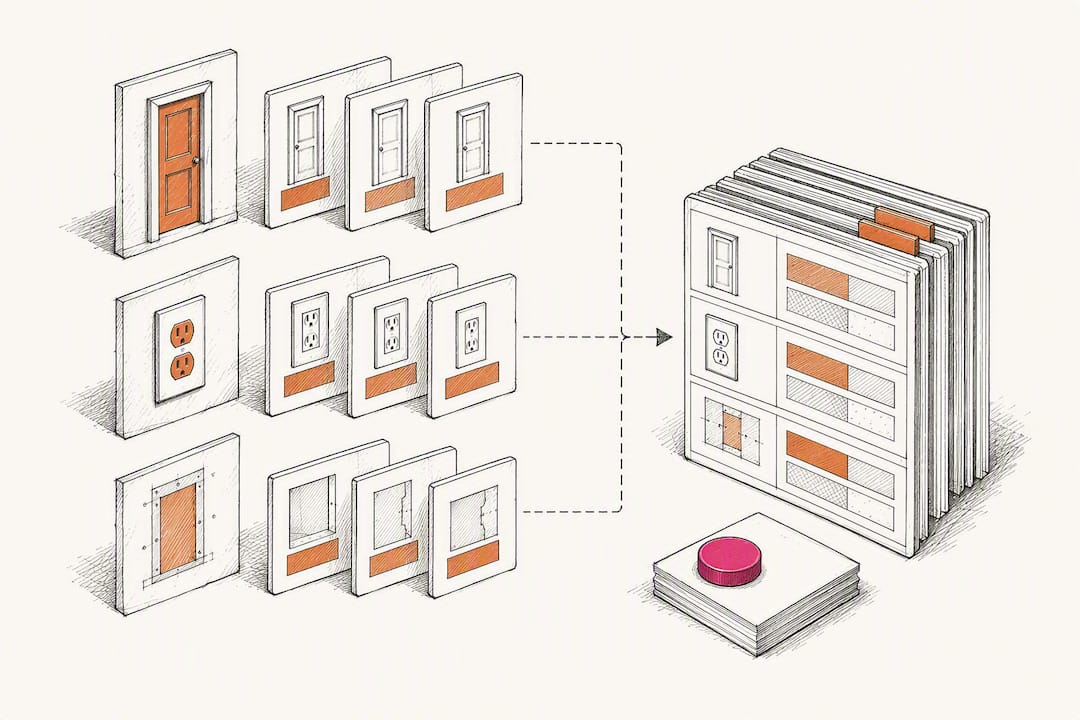
Pro Tip: Build a standing cost book of current unit prices for common change scenarios (extra doors, added outlets, drywall patches) so your team prices routine changes in minutes, not hours.
Speed matters more than most PMs realize. ConstructFlow’s guide to change order management reports that digital, e-signature-enabled workflows run roughly 40% faster than paper-based approval cycles. Aim to have documentation and pricing ready within 24 to 48 hours of identifying the change.
How Should You Route Change Orders for Approval?
Slow approvals are usually a routing problem, not a pricing problem. Too many contractors send every change order, regardless of size, through the same three-person gauntlet, which means a $400 patch job waits behind a $180,000 scope change on someone’s desk.
Set tiered approval thresholds instead:
- Under $1,000: fast-track approval by the project manager alone
- $1,000 to $50,000: PM and one senior reviewer (project executive or ops lead)
- Over $50,000: full committee review, including finance
Build conditional routing into whatever system you use so small change orders skip unnecessary approvers automatically. Put a pending change order log on the agenda of every weekly owner meeting, set automated reminders for anything sitting untouched more than three business days, and use e-signature integration so a decision-maker traveling or on another jobsite never becomes the bottleneck.
What Happens After a Change Order Is Approved?
Approval is not the finish line. A change order that gets signed but never posted correctly becomes an accounting headache six months later.
- Notify everyone affected the same day: the superintendent, affected subcontractors, and the accounting team, with the signed CO attached.
- Post the approved amount to the schedule of values and update the job-cost ledger under the revised contract value, not the original baseline, so margin forecasts stay accurate as Struvia’s field guide on job costing recommends.
- Reconcile with subcontractor payments so pass-through amounts match what you billed the owner.
- Invoice on your next billing cycle, don’t hold change orders for a “cleaner” future invoice; that habit is what causes cash-flow lag.
- Close the CO in your log with the final signed date and payment status, so nothing sits open and forgotten.
How Do You Track Change Order Performance Over Time?
You cannot fix what you don’t measure. A handful of KPIs tell you exactly where your change order approval process breaks down before it costs you a full billing cycle.
- Days identify to price: time from logging the event to sending priced documentation
- Days price to decision: time from submittal to owner signature
- Percent approved value vs. submitted value: how much negotiating erosion you’re absorbing
- Unpriced exposure: total dollar value of open change orders with no agreed price yet
- Time to payment: days from approval to cash in hand
Run a single pending change order log as your source of truth for cash exposure forecasting, an approach workflow guidance from Ubisar recommends for spotting bottlenecks fast. Capture events daily in the field, review the commercial log weekly, and reconcile forecasts monthly. Tie schedule impact to every priced change order, since owners weigh time as heavily as cost, and a hidden delay resurfaces as a dispute later.
Where Do Change Order Workflows Usually Break Down?
Three failure modes account for most of the change orders that stall or get disputed. Late capture tops the list: field staff wait days to log a change, and by the time it’s written up, nobody remembers the exact condition. Fix it by making same-day logging a non-negotiable habit tied to daily reports. Weak backup is next: a price with no photos, no RFI reference, and no daily log attached invites an owner to push back on everything. Fix it with a mandatory checklist that blocks submittal until every field is filled. Failed closeout rounds it out: change orders get verbally approved, work proceeds, and the paperwork never catches up, leaving job cost inaccurate for months.
A 30-60-90 day rollout fixes most of this without replacing any existing system:
- Week 1: Stand up a single change order log and a standardized documentation template.
- Week 3: Define approval tiers and routing thresholds, and turn on e-signature.
- Week 8: Launch KPI reporting and set your baseline cycle-time numbers.
Pro Tip: Walk through your last 15 to 20 change orders before you design your log. The gaps you find there tell you exactly which fields your template is missing.
Rowena Tulacz brings more than 30 years of construction operations and business development experience experience to this kind of implementation work, and R Construction Solutions LLC builds the SOPs, templates, and dashboards that make it stick.
Why Most Change Order “Fixes” Miss the Point
Most advice on managing change orders focuses on software features: e-signature buttons, mobile photo capture, automated notifications. None of that matters if the underlying process has no owners and no thresholds. I’ve seen contracting firms buy a platform, load their templates into it, and still watch approvals stall for three weeks, because the tool automated a broken workflow instead of fixing it.
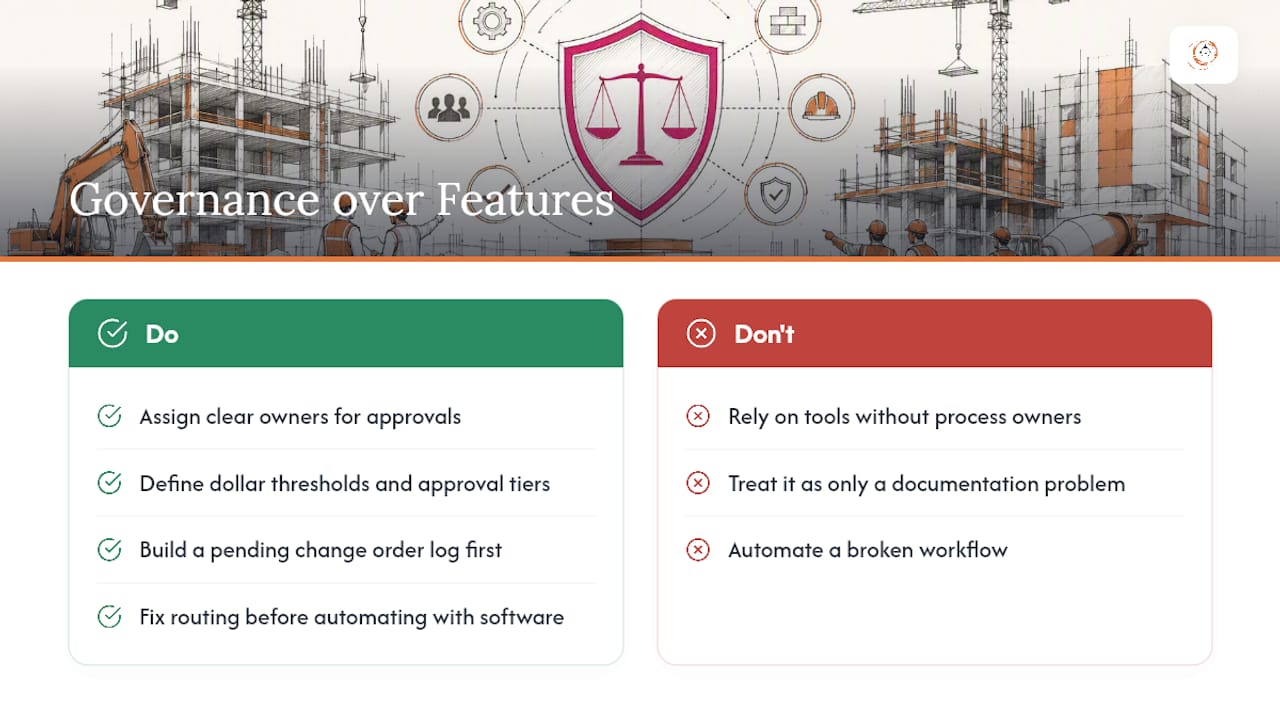
The conventional wisdom treats change order management as a documentation problem. It’s actually a governance problem. Who decides, how fast, and under what dollar threshold, matters more than whether your photos are stored in the cloud or a shared drive. Fix routing and ownership first; the software becomes a multiplier on a process that already works, not a substitute for one that doesn’t.
If you take one thing from this: build your pending change order log before you build anything else. Everything else, pricing templates, approval tiers, KPI dashboards, gets easier once you can see every open change order in one place.
— Rowena Tulacz
Get Hands-On Help Building Your Change Order System
R Construction Solutions LLC builds the exact system this guide describes, not a generic template you have to adapt yourself. The engagement covers standardized change order forms, documented approval routing with your actual thresholds, role assignments so every stage has a named owner, and a KPI dashboard tracking cycle time and unpriced exposure from day one.

Most contractors see a working system in place within 30 to 60 days, built around how your projects actually run rather than a one-size-fits-all workflow. If your team is losing cash flow to slow approvals or disputed change orders, visit the Construction Consulting Services page and reach out to start the conversation. Related reading on process improvement for construction teams covers how this fits into broader operational fixes.
Where to Go for Templates and Standards
For formal definitions, consult AACEI’s change management guidance. For checklists and pricing tactics, see ConstructFlow’s guide and ConstructionOnline’s workflow mapping. For digital evidence practices, review Matterport’s documentation guidance.
Sources
- AACEI change management guidance (TOC / RP)
- The Anatomy of a Repeatable Change Order Workflow
- Matterport: Construction change order management
Recommended
- Project Commissioned: Your 30-90 Day Post-Award Playbook
- Construction Workflow Optimization: A 2026 Guide for Contractors
- From Chaos to Coordination: Process Improvement for Construction
- Contractor Business Consulting Mistakes to Avoid in 2026
Running the job and the business at the same time? One short email a week — change orders, billing, job costing, scheduling. Free, no pitch. Subscribe.
Free and unconditional. No call required, no obligation, unsubscribe anytime.

