
30 Day Buildertrend Lead Management Playbook for Contractors
Buildertrend turns website inquiries and imported contacts into tracked Lead Opportunities you can qualify and convert into jobs without leaving the platform. It centralizes lead capture, activity tracking, and conversion in one system, which cuts duplicate data entry and speeds the handoff from sales to production. The sections below walk through capture, qualification, conversion, and the reporting that tells you which lead sources actually make money.
TL;DR:
- Tracking and qualifying leads directly within Buildertrend ensures higher conversion rates by focusing on profitable sources and realistic project opportunities.
- Custom lead forms with essential fields like budget and service area enable immediate triage and prevent wasting estimator time on unqualified inquiries.
- Automated follow-ups, lead scoring, and activity logging increase responsiveness and accountability, significantly improving the chances of closing deals.
- Consistent qualification, clear workflows, and regular reporting on lead sources allow contractors to identify and scale the most profitable marketing channels.
- Proper setup, training, and disciplined maintenance are crucial to avoid data gaps, duplicate contacts, and misaligned workflows that compromise lead conversion efforts.
Table of Contents
- What Is a Buildertrend Lead Opportunity?
- How Do You Create and Embed a Buildertrend Lead Contact Form?
- Importing Leads From Excel Without Creating a Mess
- Documenting Outreach: Lead Activities and Qualification
- Converting a Lead Opportunity Into a Job
- Templates, Automation, and Faster Follow-Up
- Consultant Tips for Making Buildertrend Drive Profitable Jobs
- Third-Party CRM and Marketing Tool Integrations
- Automated Lead Assignment and Notifications
- Managing Leads From the Buildertrend Mobile App
- Customizing Lead Status Stages and Workflows
- Reporting and Analytics for Lead Funnel Performance
- Best Practices for Nurturing Leads to Improve Conversion
- How Buildertrend Changes Sales Outcomes for Contractors
- Get Help Setting Up Buildertrend for Profitable Lead Management
- Sources
What Is a Buildertrend Lead Opportunity?
A Lead Opportunity is Buildertrend’s dedicated object for tracking a prospect before they become a paying job. It holds contact details, notes, files, and every interaction in one record, so your estimator, sales lead, and project manager are all looking at the same information instead of three different spreadsheets.
Buildertrend supports three ways to get a lead into that record, according to the platform’s own Lead Opportunities Overview:
- Automatic capture through an embedded website contact form, which creates a Lead Opportunity the moment a visitor submits it
- Manual entry for leads that come from a phone call, a referral, or a trade show conversation
- Excel import for batches of contacts pulled from a previous CRM, a purchased list, or a marketing partner
Automated capture is the right default for anything coming through your website, since it eliminates the lag between form submission and someone on your team seeing it. Manual entry still matters, though. Referrals and repeat clients rarely fill out a web form. They call, and someone on your team needs to open Buildertrend and log the lead in under two minutes or it gets forgotten.
Buildertrend also supports syncing with external CRM and marketing tools, so leads generated outside the platform (through paid ads, a marketing automation tool, or a partner referral network) don’t have to sit in a separate system disconnected from your job pipeline. That matters more than it sounds. Every contractor we’ve worked with who ran leads through two disconnected systems eventually lost leads in the gap between them.
How Do You Create and Embed a Buildertrend Lead Contact Form?
Building the form your website visitors fill out takes about fifteen minutes once you know where to click. Buildertrend’s own help documentation lays out the process clearly, and getting the field selection right matters more than the design.
- From the Lead Opportunities section, select Add Contact Form to start a new form.
- Drag Lead Fields (standard fields like name, email, and phone) onto the form canvas in the order you want them to appear.
- Add Lead Custom Fields for anything specific to your business, such as service area, project type, or budget range.
- Click Save & Preview to check how the form will look and function on a live page.
- Copy the Installation Instructions and hand them to your web developer, or paste the embed code directly if you manage your own site.
Field selection is where most contractors underuse the form. A name, email, and phone number tell you almost nothing about whether a lead is worth chasing. Add a service area field, a rough budget band, and a project timeline, and your team can triage submissions the moment they land instead of calling every single one to find out it’s outside your territory or three sizes too small for your crew.
Pro Tip: Make the budget-range field a dropdown with ranges instead of an open text box. Open fields get skipped or filled with vague answers; a dropdown forces a real signal and takes the visitor two seconds to complete.
Importing Leads From Excel Without Creating a Mess
Bulk-importing leads is efficient, but a sloppy import creates duplicate contacts and broken custom fields that take hours to untangle later. Buildertrend’s Lead Opportunities Overview documents a specific process built around its own import template, and skipping steps in that process is where most import problems start.
- Download Buildertrend’s Excel import template rather than building your own spreadsheet from scratch. The column headers need to match what the system expects.
- Populate every required column before uploading. Blank fields in required columns cause rows to fail silently.
- Map each column carefully during the import wizard and review the mapping preview before confirming. This is the step most people rush through.
- Run a small test batch first (10 to 20 rows), verify the records landed correctly, then run the full import.
- Check for duplicate contacts against your existing database before the full import to avoid double records skewing your pipeline counts.
- Populate custom fields and tags during the import itself so leads arrive already segmented by source or campaign, rather than requiring manual tagging afterward.
A ten-minute test batch saves you an afternoon of manual cleanup. That trade is always worth making.
Documenting Outreach: Lead Activities and Qualification
Lead Activities is where you log every call, email, and site visit tied to a Lead Opportunity, and it’s the feature that separates contractors who actually follow up from contractors who think they follow up. If a conversation isn’t logged in Activities, it effectively didn’t happen as far as your team’s shared visibility goes.
What belongs in an Activity entry:
- Date and method of contact (call, email, text, in-person visit)
- A short summary of what was discussed, especially any objections or specific requests
- The next action and who owns it
- Any documents shared, such as a proposal draft or a photo from a site visit
Making activity logging mandatory, rather than optional, is the single biggest lever for consistency. Build a required-field template so nobody can close an activity without noting the next step and a follow-up date. Left optional, logging drops off within two weeks.
For qualification, a simple four-point rubric keeps your team from wasting estimating hours on leads that will never close: is the project inside your service area, does the stated budget match your minimum job size, is the timeline realistic for your current backlog, and are you actually talking to the decision maker. A lead that fails two or more of those checks gets a lower priority tag, not a form rejection. Some come back qualified once the timeline shifts.
Pro Tip: Assign activity ownership the moment a lead comes in, not after the first call. An unassigned lead sits in a queue nobody feels responsible for, and that’s where leads quietly die.
Converting a Lead Opportunity Into a Job
Once a lead is qualified and ready to move forward, Buildertrend’s convert-to-job workflow turns that Lead Opportunity into an active presale job without re-entering the data you already collected.
- Open the Lead Opportunity and select + New Job to begin conversion.
- Confirm the job details Buildertrend pulls over automatically, including contact information, uploaded files, and any legacy proposals created during the lead stage.
- Verify the converted record before moving forward, since this is your last checkpoint to catch a typo in contact info or a missing file.
- Proceed into job setup, where schedules, estimates, and financial tracking activate for the new job.
According to Buildertrend’s own documentation, the Lead Opportunities Overview confirms that converted leads bring their collected data and files directly into the new job record, which is exactly the duplicate-entry problem this workflow is built to solve.
Before you convert, run a short pre-conversion checklist: is there a finalized estimate attached, has the client signed off on scope, and has your deposit policy been communicated and, ideally, collected. Converting a lead before the deposit clears creates awkward conversations later when the schedule is already moving and the money hasn’t shown up.
Templates, Automation, and Faster Follow-Up
Speed to response is a conversion lever most contractors underuse, and Buildertrend’s built-in templates and automation exist specifically to close that gap. Its sales tools, including the CRM Hub and proposal features with digital signatures, keep proposals, estimates, and financials connected so nothing requires manual re-entry between stages.
- Build reusable proposal and estimate templates for your most common project types, then customize the specifics instead of starting from a blank document every time.
- Use digital signatures on proposals so a client can approve from their phone instead of waiting to print, sign, and scan.
- Set an automated immediate acknowledgment for every new lead, even a simple “we received your request and will call within one business day.”
- Schedule an automated proposal reminder at the 48 to 72 hour mark if the client hasn’t opened or responded.
- Implement a Go/No-Go score, weighting each lead by estimated job value and fit against your qualification rubric, so your estimating team spends time on leads worth the hours.
Reusable templates and automated follow-ups protect your team’s time and your close rate simultaneously. A lead that gets acknowledged within minutes, followed up within three days, and scored against real criteria before an estimator ever opens a takeoff sheet closes at a noticeably higher rate than one left to sit in an inbox.
Pro Tip: Set your Go/No-Go score to auto-flag anything below your minimum job value threshold. It keeps your best estimator’s calendar reserved for jobs that are actually worth their time.
Consultant Tips for Making Buildertrend Drive Profitable Jobs
Software doesn’t fix a qualification problem. If your estimating team is buried in low-margin leads, the issue usually isn’t Buildertrend, it’s that your qualification rules and your estimating capacity were never aligned in the first place. Set a minimum job value threshold that matches what your estimator can realistically absorb each week, and tie that threshold directly into your lead scoring.
A managed implementation is worth the investment when your team is scaling past a handful of leads a week and can’t afford months of trial and error with field naming and workflow setup. DIY works fine for a small volume; it breaks down fast once multiple people are entering data with different habits.
Most implementation failures come down to three things: inconsistent field naming, missing required fields, and weak training. The fix is standardized naming conventions, mandatory qualification fields, and a short weekly audit during the first month to catch drift before it becomes habit.
- Set naming conventions for lead sources, statuses, and tags before your team starts entering data
- Make qualification fields required, not optional, at the point of lead entry
- Run a one-hour weekly audit for the first month to catch inconsistent entries early
- Tie your estimating team’s checklist for scoping and pricing jobs into your qualification rubric so a lead that passes qualification is genuinely ready for an estimate
| — | Action |
|---|---|
| Week 1 | Set naming conventions, required fields, and lead source tags |
| Week 2 | Build and embed the contact form; import existing Excel contacts |
| Week 3 | Train the team on Lead Activities logging and the Go/No-Go rubric |
| Week 4 | Run the first monthly source report and adjust budget by channel |
Third-Party CRM and Marketing Tool Integrations
Buildertrend’s native lead tools cover the essentials, but most growing contractors eventually run marketing campaigns through tools built specifically for that purpose, such as email marketing platforms or paid ad managers. Rather than forcing every function into one system, the practical approach is deciding where each tool does its best work and connecting the handoff points.
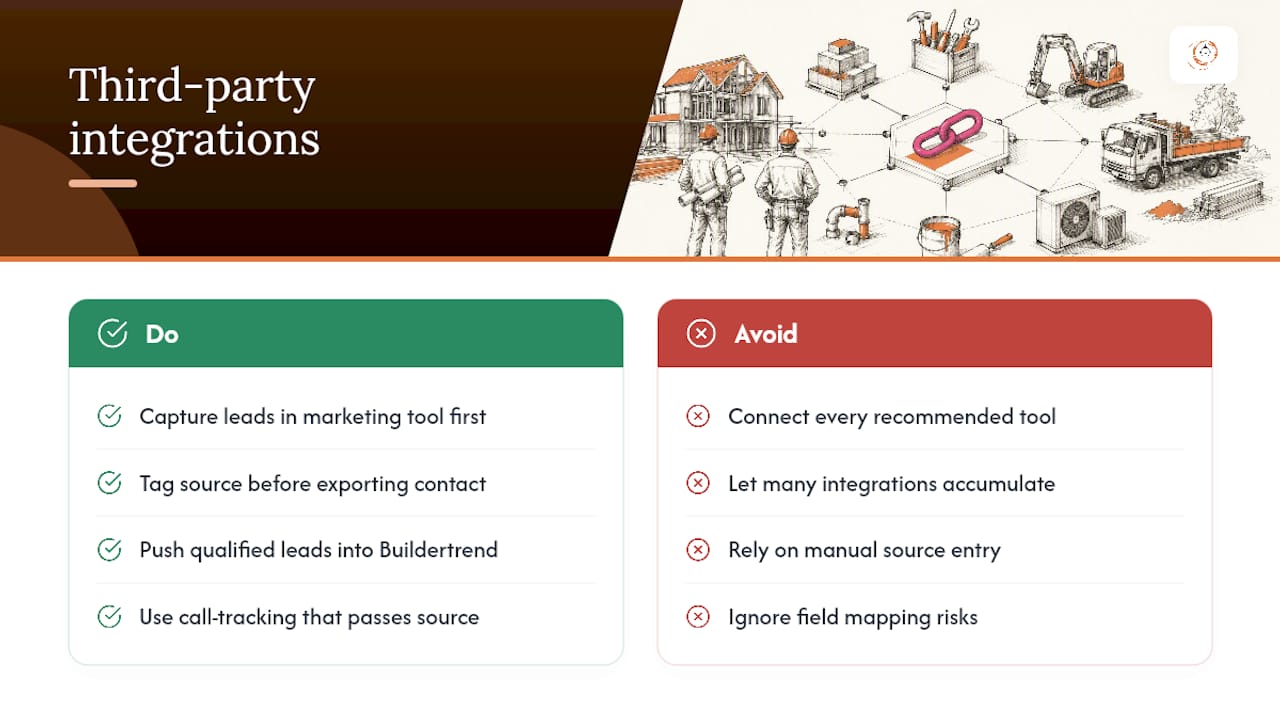
If your marketing runs through a separate email or SMS automation tool, capture the lead there first, tag the source, and push the contact into Buildertrend as a Lead Opportunity once it’s qualified enough to enter your sales pipeline. This keeps your Buildertrend pipeline clean, showing genuine prospects rather than every unopened email subscriber.
Integration also matters for call tracking. A dedicated call-tracking number routed through a marketing platform can log the call and pass the source tag into Buildertrend automatically, closing the attribution gap that manual entry usually leaves open. Contractors running multiple ad channels simultaneously (search ads, social, and a referral program) find this is the only reliable way to know which one is actually paying for itself.
The tradeoff is added complexity. Every integration point is one more place data can break if a field mapping changes or an API connection drops. Keep integrations to the few that solve a real bottleneck, not every tool your marketing vendor recommends. A CRM and marketing automation setup should reduce manual work, not multiply the number of systems your team has to babysit.
Automated Lead Assignment and Notifications
A lead that sits unassigned for six hours is a lead that’s cooling off while your competitor calls first. Buildertrend supports notification and assignment workflows so new Lead Opportunities route to the right person the moment they’re created, instead of waiting for someone to notice a new entry in the list.
Set up assignment rules based on how your team actually splits territory or project type. If one salesperson handles remodels and another handles new builds, route by project type field on the lead form. If your team splits by geography, route by service area. The point is removing the manual step where someone has to look at every new lead and decide who gets it.
Notifications should fire immediately, not on a daily digest. A same-day response to a new lead converts at meaningfully higher rates than a next-day response, and a digest email defeats that speed advantage entirely. Configure push and email alerts so the assigned team member knows within minutes, not hours.
Build in a backup rule too. If the assigned salesperson doesn’t log an activity within a set window, say four business hours, route a notification to a manager so the lead doesn’t quietly stall. This single safeguard catches most of the leads that would otherwise fall through the cracks during a busy week or when someone’s out sick.
Managing Leads From the Buildertrend Mobile App
Field time doesn’t stop lead follow-up, and Buildertrend’s mobile app is built so it doesn’t have to. A salesperson standing on a job site or driving between estimates can pull up a Lead Opportunity, review the activity history, and log a new note without waiting until they’re back at a desk.
The mobile app matters most for speed. If a prospect calls while your estimator is mid-drive to another appointment, logging that call immediately, right from the app, keeps the activity record accurate instead of relying on memory hours later when details blur. Photos from a site visit can attach directly to the lead record in the moment, rather than sitting in a phone’s camera roll until someone remembers to upload them.

Push notifications extend into the mobile app as well, so an assigned lead alert reaches a team member wherever they are, not just at their office computer. For a contractor whose sales team spends most of the day on the road rather than behind a desk, that’s the difference between a lead getting a same-hour response and sitting untouched until evening.
The app won’t replace a proper desktop review for building out proposals or running detailed reports, but for the day-to-day work of logging activities, checking lead status, and staying responsive between appointments, it keeps your pipeline moving without pulling anyone off a job site to do it.
Customizing Lead Status Stages and Workflows
Buildertrend’s default lead stages work fine as a starting point, but every contracting business qualifies and moves leads a little differently, and forcing your process into someone else’s default stages usually creates confusion rather than clarity. Customizing status stages to match your actual sales process is one of the higher-leverage setup steps most teams skip.
Start by mapping your real process on paper before touching the software: new inquiry, contacted, qualified, estimate sent, negotiating, won, lost. Some businesses need more granularity, particularly around the estimate stage, where a job might sit for weeks while pricing gets finalized. Others need fewer stages because their sales cycle moves in days, not weeks.
Once your stages are defined, build them into Buildertrend’s workflow so every Lead Opportunity moves through a status that matches your team’s actual vocabulary. This matters more than it sounds. If your sales team calls something “hot” and the system calls it “qualified,” you get a translation problem every time someone reports pipeline status in a meeting.
Review your stages every few months. A stage nobody uses, or one where leads pile up and never move, signals a bottleneck worth fixing rather than a software problem worth ignoring. Adjust the workflow as your business grows past the volume where informal tracking worked fine.
Reporting and Analytics for Lead Funnel Performance
Numbers you don’t look at don’t help you make decisions, and Buildertrend’s reporting features exist to surface the funnel data that tells you where leads are getting stuck. The real value comes from checking these reports on a set schedule, not from having the feature available.
Pull a funnel report monthly that shows how many leads entered at each stage and how many made it to the next one. A drop-off between “estimate sent” and “won” points to a pricing or follow-up problem. A drop-off between “new inquiry” and “contacted” points to a response-speed problem, which is usually fixable with tighter assignment rules.
Segment your reports by lead source whenever possible. A channel generating high lead volume but low conversion is often costing you more in wasted estimating hours than a smaller channel with a tighter conversion rate. This is where the source tagging discussed earlier pays off directly. Without it, your funnel report is just a total, with no way to tell which channel deserves more budget.
Set a recurring calendar block, even fifteen minutes a month, to actually review these reports as a team rather than letting them sit unopened in a dashboard. A report nobody reads has the same effect as no report at all.
Best Practices for Nurturing Leads to Improve Conversion
Not every qualified lead is ready to sign today, and treating a “not yet” the same as a “no” is one of the more expensive mistakes a sales process can make. Nurturing means staying visible without becoming annoying, and Buildertrend’s activity and template tools make that manageable rather than a manual chore.
Build a light-touch follow-up cadence for leads that qualify but aren’t ready: a check-in at two weeks, again at six weeks, and again at three months if there’s still no movement. Use Lead Activities to schedule and log each touch so nothing depends on someone’s memory.
Personalize each follow-up around something specific from the original conversation, referencing the project type, the timeline they mentioned, or a concern they raised. A generic “just checking in” email gets ignored. A message that references their kitchen remodel timeline or their mentioned budget concern gets a reply.
Share relevant proof points during the nurture period, such as a completed project similar to theirs or a testimonial from a comparable client. This works better than repeated sales pitches, since it answers the unspoken question every prospect has: can this contractor actually deliver.
Set a clear disqualification point too. A lead that’s gone silent after four documented attempts over three months probably isn’t converting, and continuing to chase it wastes attention better spent on active opportunities. Nurturing works because it’s disciplined, not because it’s endless.
How Buildertrend Changes Sales Outcomes for Contractors
Watching contractors implement Buildertrend’s lead tools consistently, the outcomes that stand out most are higher close rates and cleaner handoffs between the sales side and production. The software isn’t the variable that changes those outcomes. Discipline around qualification fields and activity logging is.
If you’re evaluating your own setup, start with a simple audit: pull your last thirty leads and check how many have complete activity records and a real qualification score. Then run a thirty-day test with mandatory fields and one clear owner per lead before drawing conclusions about what Buildertrend can do for your pipeline.
One more note, unrelated to workflow but worth mentioning: if your marketing materials or website use photos of your sales and field teams, make sure that imagery reflects the real diversity of the construction workforce today, not a single demographic repeated across every shot.
— Rowena Tulacz
Get Help Setting Up Buildertrend for Profitable Lead Management
Getting Buildertrend’s lead tools to actually drive revenue takes more than turning on the software. It takes qualification rules matched to your estimating capacity, clean field naming, and a team that logs activities consistently instead of when they remember to. R Construction Solutions LLC works directly with contracting businesses on exactly this kind of CRM and marketing automation implementation, building the workflows, naming conventions, and training routines that keep a lead pipeline from collapsing into chaos six months after go-live.
If your team is doing between $1 million and $10 million in annual revenue and has outgrown spreadsheets but hasn’t yet built the systems a larger firm runs on, a short setup review can identify exactly where your current process is losing leads. Explore R Construction Solutions LLC’s construction consulting services to see how a targeted implementation engagement fits your business, and check out this guide on improving your construction estimating process for related fixes on the estimating side that pair directly with a cleaner lead pipeline.
Sources
You can’t fix a lead source you’re not measuring, and most contractors find out a channel was unprofitable months after they’ve spent thousands on it. Buildertrend supports source tracking through custom fields and tags, but the discipline has to come from your team’s setup, not the software alone.
Capture the source at the point of entry using three mechanisms: UTM parameters on every link you share in ads or email, dedicated call-tracking numbers for phone-heavy channels, and a manual source tag for anything that comes in through referral or word of mouth. Skipping this step means every report you run later is a guess.
The metrics worth tracking monthly are cost per lead (CPL), cost per booked job, lead-to-job conversion rate, and gross-profit return per channel. Industry guidance on lead source tracking recommends pulling four numbers per channel every month: total spend, total leads generated, closed jobs, and revenue from those jobs. From there, CPL and lead-to-job rate calculate themselves.
The four-number monthly check: Spend, leads, closed jobs, revenue. Pull these per channel every month, and you’ll know within a quarter which sources are worth scaling and which are quietly draining your marketing budget.
Attribution back to the original lead is the part contractors skip. If you tagged the source at capture, Buildertrend’s reporting (or a straightforward export into a spreadsheet) lets you tie closed-job revenue back to that original channel, which is the only way a marketing spend decision is ever more than a guess.
Recommended
- Email Marketing Strategy - Email Marketing Insights
- Build an Estimating Checklist for General Contractor Projects
- Construction Bid Automation Best Practices for 2026
- How to Build a Repeat Client Base as a General Contractor
Running the job and the business at the same time? One short email a week — change orders, billing, job costing, scheduling. Free, no pitch. Subscribe.
Free and unconditional. No call required, no obligation, unsubscribe anytime.

