
Construction Management Information Systems: 2026 Implementation Guide | R. Construction Solutions
A construction management information system (CMIS) is a centralized, configurable framework that governs how project data across cost, schedule, scope, documentation, and risk is captured, stored, and used across an entire project. Also called a Project Management Information System (PMIS) in many industry contexts, CMIS is the system of record for capital construction projects. It replaces fragmented spreadsheets, disconnected email chains, and siloed tools with a single governed platform. For construction professionals and project managers, understanding what a construction management information system does and how it works is the first step toward running tighter, more profitable projects.
What is a construction management information system?
A CMIS is not generic project management software. Platforms like Microsoft Project or Asana manage tasks and timelines. A CMIS goes further by enforcing data standards and auditable workflows that replace error-prone spreadsheets and fragmented tools. It provides role-based access, live dashboards, and portfolio-level reporting that generic tools simply cannot deliver.
The distinction matters because construction projects involve dozens of stakeholders, including owners, general contractors, subcontractors, architects, and inspectors. Each party generates data. Without a governed system, that data lives in different formats, different locations, and different hands. A CMIS creates one authoritative source of truth for all of it.

Think of it this way: a task manager tells your team what to do next. A CMIS tells your entire organization what happened, what it cost, who approved it, and what the current status is across every active project.
How does a construction management information system work?
A CMIS works by centralizing data capture and enforcing structured workflows from the moment a project begins. Every cost entry, schedule update, document submission, and field observation flows into the same system under defined rules.
Here is how the core mechanics operate in practice:
- Centralized data capture: Cost, schedule, scope, and document data are entered once and stored in a single repository. No duplicate entry across systems.
- Role-based access controls: A subcontractor sees their submittals and RFIs. A project manager sees budget performance and schedule variance. An owner sees portfolio-level reporting. Each user gets exactly the access their role requires.
- Workflow automation: Approval chains for change orders, submittals, and RFIs are pre-defined. The system routes items automatically, reducing manual follow-up.
- Integration with other tools: Leading CMIS platforms connect via APIs to accounting software like Sage or Viewpoint, scheduling tools like Primavera P6, and field data apps.
- Real-time dashboards: Project managers see live cost-to-complete figures, schedule health, and open issues without waiting for weekly status reports.
Pro Tip: Before selecting a CMIS, map your current workflows on paper first. The system should match how your teams actually work, not force them to adopt a foreign process from day one.
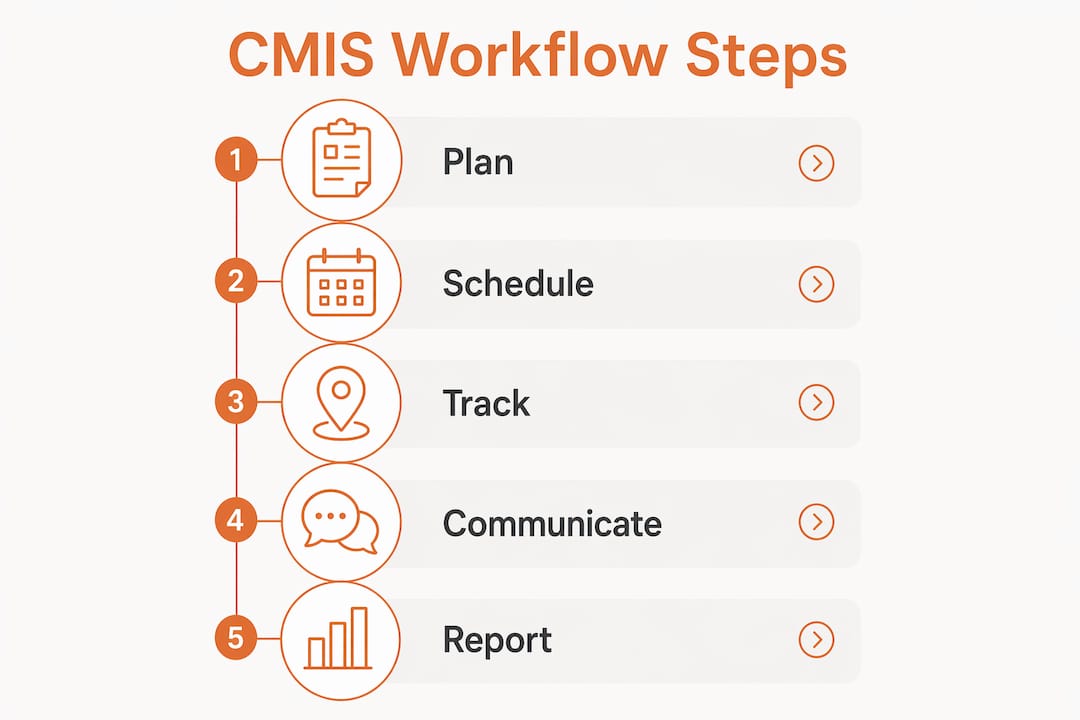
Schedule changes flow automatically, dependencies become visible before conflicts arise, and current drawings are accessible to every authorized user in the field. That operational shift is what separates a well-implemented CMIS from a glorified file storage system.
What are the key features of construction project management tools within CMIS?
The features inside a CMIS determine how much control your team actually gains. Below is a comparison of the core feature categories found in leading construction information systems, including platforms like Procore, Kahua, CMiC, and Autodesk Construction Cloud.
| Feature Category | What It Does | Why It Matters |
|---|---|---|
| Budget and Cost Control | Tracks committed costs, change orders, and forecasts against the original contract | Spots overruns before they compound |
| Scheduling and Milestones | Links schedule activities to cost codes and deliverables | Connects time and money in one view |
| Document Management | Version-controlled drawings, specs, and contracts with audit trails | Eliminates “wrong drawing” errors in the field |
| Submittals and RFIs | Structured workflows for design clarifications and material approvals | Keeps projects moving without email chaos |
| Risk and Compliance Tracking | Logs safety incidents, inspections, and regulatory requirements | Reduces liability and supports closeout audits |
Beyond the table above, the most operationally valuable features are the ones your field teams will actually use. Mobile access to updated drawings, one-tap RFI submission, and offline data capture are not optional extras. Field teams resist CMIS perceived as burdensome unless mobile and offline-capable features provide immediate value. If your field crews cannot use the system from a job site with poor connectivity, the data chain breaks.
The real value of CMIS is operational. It creates standard workflows and naming conventions across diverse project teams, not just a cleaner digital interface. That standardization is what makes the data useful for reporting, auditing, and long-term financial governance.
What are the primary benefits of construction management systems?
The benefits of construction management systems are measurable, not theoretical. Construction management software saves field teams up to 1 hour per worker daily by reducing administrative burdens and search time for critical information. On a 20-person crew, that is 20 hours of productive labor recovered every single day.
Rework is the other major cost driver. Rework costs typically run 4–6% of total project costs. On a $10 million project, that is $400,000 to $600,000 in avoidable waste. Improved visibility and communication through a CMIS directly attacks that number.
Here are the primary operational benefits your team will see:
- Early overrun detection: Centralized cost visibility helps teams spot budget overruns early and manage change orders with confidence.
- Reduced coordination overhead: Project managers spend less time chasing information and more time making decisions that require judgment.
- Improved auditability: Every approval, change, and communication is logged with a timestamp and user ID, which protects you in disputes and supports closeout documentation.
- Long-term financial governance: CMIS maintains an auditable project history after project closeout, supporting warranty claims, tax documentation, and future project benchmarking.
- Better subcontractor coordination: Shared access to current drawings and submittals reduces the “I had the old version” problem that causes costly field errors.
Pro Tip: Track your pre-CMIS baseline metrics for rework hours, RFI response times, and change order cycle times. You need those numbers to prove ROI to ownership and justify the investment.
The importance of construction information systems extends beyond individual projects. When your organization builds a library of standardized project data, you gain the ability to benchmark performance, predict costs more accurately, and win more competitive bids.
What challenges exist in implementing a construction management information system?
Implementation is where most CMIS projects succeed or fail. The technology itself is rarely the problem. Successful CMIS adoption depends 20% on software choice and 80% on organizational buy-in, governance, and defined data standards before implementation. That ratio should reset your expectations about where to invest your energy.
Here are the five most common implementation challenges and how to address them:
- Skipping governance setup. Define your data standards, naming conventions, and approval workflows before you configure the system. Without this foundation, you digitize existing chaos rather than fix it.
- Underestimating change management. Field crews and project managers need training, not just login credentials. Budget time for onboarding and designate internal champions on each project team.
- Attempting full legacy data migration. Migrating years of legacy project data at initial setup is a common pitfall. Start with day-forward data and archive legacy records separately. Trying to scrub years of old files derails deployment and frustrates teams immediately.
- Ignoring mobile requirements. If the system is not mobile and offline-capable, field teams will revert to shadow IT practices like personal spreadsheets and text threads. That breaks your audit trail and undermines the entire investment.
- Choosing the wrong configuration scope. Industry-specific CMIS tools can have initial setup times as little as 15 minutes for small projects, while generic systems may require 40 or more hours of configuration. Match the platform to your actual project complexity.
“A CMIS is as much a governance framework as it is software. Defining internal data standards, workflow rules, and naming conventions before implementation is critical to success.” — Construction Executive
The process improvement work that precedes a CMIS rollout is often more valuable than the software itself. Teams that document their current workflows first deploy faster and see results sooner.
Key takeaways
A construction management information system delivers measurable project results only when it is paired with defined governance, field-ready mobile access, and organization-wide process discipline.
| Point | Details |
|---|---|
| CMIS is a governance framework | Define data standards and workflows before configuring any software. |
| Field adoption determines success | Mobile and offline access are required to prevent shadow IT and broken audit trails. |
| Rework costs justify the investment | Rework runs 4–6% of project costs; CMIS visibility directly reduces that figure. |
| Start with day-forward data | Avoid legacy data migration at launch to keep deployment on track and teams engaged. |
| Benefits compound over time | Standardized project data builds benchmarking capability and improves future bid accuracy. |
Why CMIS is an operational shift, not a software upgrade
I have worked with construction firms that spent six figures on a CMIS platform and saw almost no improvement in project outcomes. The system was solid. The problem was that nobody had defined what “correct” looked like before they turned it on.
The misconception I see most often is treating CMIS as a technology purchase rather than an operational commitment. You are not buying software. You are committing to a new way of capturing, governing, and using project data across every team and every project. That requires process discipline that most firms have not built yet.
What I find genuinely exciting about where construction information systems are heading is the integration of AI-driven cost forecasting and automated risk flagging directly inside the CMIS workflow. Platforms are beginning to surface predictive alerts when a project’s cost-to-complete trajectory suggests an overrun, weeks before a human reviewer would catch it. That is a real shift in how project managers spend their time.
The firms I have seen get the most out of their CMIS investment are the ones that treat construction manager support as a continuous process, not a one-time deployment. They revisit their governance rules after every project, update their naming conventions when they add new project types, and hold their field teams accountable to the system. That discipline is what separates firms that grow from firms that stall.
— Rowena
How Rconstructionsolutions helps you get CMIS right
Selecting and deploying a construction management information system is a significant decision. Getting it wrong costs time, money, and team morale.

Rconstructionsolutions brings over 30 years of hands-on construction operations experience to every CMIS engagement. The team helps contractors define governance frameworks, select the right platform for their project mix, and build the internal processes that make the technology actually work. Whether you are a mid-sized residential contractor or a commercial GC managing multiple active projects, the approach is tailored to your operation, not a generic template. Explore construction consulting services to see how Rconstructionsolutions supports firms from initial assessment through full deployment and beyond.
FAQ
What is a construction management information system?
A construction management information system (CMIS) is a centralized platform that governs how project data across cost, schedule, scope, documents, and risk is captured and used across a construction project. It enforces role-based access, auditable workflows, and standardized data practices that generic project management tools do not provide.
How does construction management software work?
Construction management software works by centralizing all project data into one governed repository, routing approvals through pre-defined workflows, and delivering real-time dashboards to project managers and owners. Integration with accounting and scheduling tools keeps financial and timeline data synchronized without manual re-entry.
What are the main benefits of construction management systems?
The primary benefits include up to 1 hour of daily time savings per field worker, significant reduction in rework costs that typically run 4–6% of total project costs, improved change order management, and a complete auditable project record that supports closeout and future benchmarking.
What features should a construction information system include?
A strong construction information system includes budget and cost control, scheduling and milestone tracking, document management with version control, submittal and RFI workflows, and risk and compliance tracking. Mobile and offline field access is a non-negotiable requirement for field team adoption.
How long does CMIS implementation take?
Implementation timelines vary by platform and project complexity. Industry-specific tools can be configured in as little as 15 minutes for small projects, while enterprise platforms may require weeks of setup. The governance and process work before configuration typically takes longer than the technical setup itself.